Deprecated: Function wp_make_content_images_responsive is deprecated since version 5.5.0! Use wp_filter_content_tags() instead. in /home/shoptalk/armdeveloper.shop-keepr.com/wp-includes/functions.php on line 6031
Deprecated: Function wp_make_content_images_responsive is deprecated since version 5.5.0! Use wp_filter_content_tags() instead. in /home/shoptalk/armdeveloper.shop-keepr.com/wp-includes/functions.php on line 6031
Deprecated: Function wp_make_content_images_responsive is deprecated since version 5.5.0! Use wp_filter_content_tags() instead. in /home/shoptalk/armdeveloper.shop-keepr.com/wp-includes/functions.php on line 6031
Deprecated: Function wp_make_content_images_responsive is deprecated since version 5.5.0! Use wp_filter_content_tags() instead. in /home/shoptalk/armdeveloper.shop-keepr.com/wp-includes/functions.php on line 6031
Welcome
Arm Ambassador Program
The Arm Developer Program helps everyone build better software and provides a community space for experts and developers to learn new skills together. Our Arm Ambassadors are a group of experts and community leaders who are developing on Arm, and who support and lead the Arm Developer Program through a host of Arm-endorsed activities.
Here are a few steps to get started:
Join our Community on Discord
- Please use this link to join our Discord server.
- Check out this short demo video of how to navigate your way around the Discord server.
- Once you have created an account, please direct message Shola (Arm) and Michael Hall (Arm) in Discord to let them know who you are so that they can add you to the private Arm Ambassador area.
- Please feel free to introduce yourself via the ‘Introductions’ channel.
Claim Your SWAG
Make sure you get your SWAG pack by answering a few quick questions here.
Follow the Arm Ambassadors Google Calendar
Use our calendar to stay up to date:
Deprecated: Function wp_make_content_images_responsive is deprecated since version 5.5.0! Use wp_filter_content_tags() instead. in /home/shoptalk/armdeveloper.shop-keepr.com/wp-includes/functions.php on line 6031
Deprecated: Function wp_make_content_images_responsive is deprecated since version 5.5.0! Use wp_filter_content_tags() instead. in /home/shoptalk/armdeveloper.shop-keepr.com/wp-includes/functions.php on line 6031
Deprecated: Function wp_make_content_images_responsive is deprecated since version 5.5.0! Use wp_filter_content_tags() instead. in /home/shoptalk/armdeveloper.shop-keepr.com/wp-includes/functions.php on line 6031
Deprecated: Function wp_make_content_images_responsive is deprecated since version 5.5.0! Use wp_filter_content_tags() instead. in /home/shoptalk/armdeveloper.shop-keepr.com/wp-includes/functions.php on line 6031
Deprecated: Function wp_make_content_images_responsive is deprecated since version 5.5.0! Use wp_filter_content_tags() instead. in /home/shoptalk/armdeveloper.shop-keepr.com/wp-includes/functions.php on line 6031
Deprecated: Function wp_make_content_images_responsive is deprecated since version 5.5.0! Use wp_filter_content_tags() instead. in /home/shoptalk/armdeveloper.shop-keepr.com/wp-includes/functions.php on line 6031
Deprecated: Function wp_make_content_images_responsive is deprecated since version 5.5.0! Use wp_filter_content_tags() instead. in /home/shoptalk/armdeveloper.shop-keepr.com/wp-includes/functions.php on line 6031
Deprecated: Function wp_make_content_images_responsive is deprecated since version 5.5.0! Use wp_filter_content_tags() instead. in /home/shoptalk/armdeveloper.shop-keepr.com/wp-includes/functions.php on line 6031
Deprecated: Function wp_make_content_images_responsive is deprecated since version 5.5.0! Use wp_filter_content_tags() instead. in /home/shoptalk/armdeveloper.shop-keepr.com/wp-includes/functions.php on line 6031
What’s Expected
We ask our Arm Ambassadors to take an active role in educating and engaging with our community through the following minimum activities:
Discord
One Discord activity per week of the following:
- Office hours attendance.
- Content sharing.
- Welcoming new members.
- Posting in a topic channel.
Social Media
One social media share about the Arm Developer Program per quarter:
- Reshare a post by an Arm expert, the Arm Developer Program team, or a fellow Ambassador.
- Post about the program and/or activities as an Arm Ambassador.
- Tag @Arm and use the #ArmDeveloper.
Please ensure your posts conform to our social media policies and program legal agreement.
Content
One piece of content every three months:
Key areas you can contribute to:
- Technical content (we provide guidance on content topics we are looking for.
- Software use cases on Arm.
- Content raising awareness around the Arm Developer Program and Arm technology in key software communities.
Types of content you can contribute:
- Blogs – Arm Community/Arm Newsroom
- Videos (with optional Arm support with production) – Arm Developer Hub On-demand
- Learning paths
- Webinars
- Hands-on workshops
- Deeper-dive technical documents/manuals
- External publication/community posts
Annual Contribution From
Every 12 months, we circulate a contribution form to get feedback about the Arm Developer Program-related activities that you run.
Deprecated: Function wp_make_content_images_responsive is deprecated since version 5.5.0! Use wp_filter_content_tags() instead. in /home/shoptalk/armdeveloper.shop-keepr.com/wp-includes/functions.php on line 6031
Deprecated: Function wp_make_content_images_responsive is deprecated since version 5.5.0! Use wp_filter_content_tags() instead. in /home/shoptalk/armdeveloper.shop-keepr.com/wp-includes/functions.php on line 6031
Deprecated: Function wp_make_content_images_responsive is deprecated since version 5.5.0! Use wp_filter_content_tags() instead. in /home/shoptalk/armdeveloper.shop-keepr.com/wp-includes/functions.php on line 6031
Deprecated: Function wp_make_content_images_responsive is deprecated since version 5.5.0! Use wp_filter_content_tags() instead. in /home/shoptalk/armdeveloper.shop-keepr.com/wp-includes/functions.php on line 6031
Deprecated: Function wp_make_content_images_responsive is deprecated since version 5.5.0! Use wp_filter_content_tags() instead. in /home/shoptalk/armdeveloper.shop-keepr.com/wp-includes/functions.php on line 6031
Deprecated: Function wp_make_content_images_responsive is deprecated since version 5.5.0! Use wp_filter_content_tags() instead. in /home/shoptalk/armdeveloper.shop-keepr.com/wp-includes/functions.php on line 6031
Running Your Own Activities
We’d like to hear from you about the activities you’re planning to run and provide you reimbursement wherever possible. Here’s some important guidance about submitting your proposal and expenses.
Submit a Proposal for Events and Travel
We expect all Arm Ambassadors to share their knowledge with the community through online or in-person activities, whether it’s attending and presenting at events, running workshops, or creating content. These proposed activities must be submitted in advance, with the requested amount, which should be included in the yearly individual Arm Ambassador budget.
Report on Completed Activities
Tell us about your participation and highlights at an event. Submit your feedback, and if an associated cost was approved, submit your expenses form.
Submit a Proposal for Publishing Your Book
We are pleased to announce an opportunity for our Arm Ambassadors to submit proposals for publishing a book. Arm Education, in collaboration with select publishing partners, is offering you the chance to contribute to a professional reference book in your area of expertise. This opportunity aims to showcase the knowledge within our community and provide valuable resources to developers worldwide.
Find more information here or fill out an application form.
Submit Expenses
Submit your expenses through the event report and reimbursement form or alternatively fill out our invoice template and submit it to Shola Akinrolie (shola.akinrolie@arm.com). If your expense was previously proposed on our activity form and your budget request was approved, we will transfer the amount to the bank account that you provide on the invoice template. The lead time depends on your region and could take up to two weeks. More information is provided on the invoice template.
Request Event Support
We’re working on providing you with event resources, such as banners and giveaways. Look for details on availability and how to request them soon.
Deprecated: Function wp_make_content_images_responsive is deprecated since version 5.5.0! Use wp_filter_content_tags() instead. in /home/shoptalk/armdeveloper.shop-keepr.com/wp-includes/functions.php on line 6031
Participating in Arm-Led Activities
Discord Office Hours and YouTube Innovation Coffee
Discord Office Hours are on Thursdays and include guests.
YouTube Innovation Coffee series is a casual one-hour discussion with an invited developer hosted by our developer evangelist. We are always looking for new ideas and demonstrations run on Arm.
Message Shola Akinrolie on shola.akinrolie@arm.com or Discord if you like to join any of the sessions as a guest.
Deprecated: Function wp_make_content_images_responsive is deprecated since version 5.5.0! Use wp_filter_content_tags() instead. in /home/shoptalk/armdeveloper.shop-keepr.com/wp-includes/functions.php on line 6031
Deprecated: Function wp_make_content_images_responsive is deprecated since version 5.5.0! Use wp_filter_content_tags() instead. in /home/shoptalk/armdeveloper.shop-keepr.com/wp-includes/functions.php on line 6031
Deprecated: Function wp_make_content_images_responsive is deprecated since version 5.5.0! Use wp_filter_content_tags() instead. in /home/shoptalk/armdeveloper.shop-keepr.com/wp-includes/functions.php on line 6031
Deprecated: Function wp_make_content_images_responsive is deprecated since version 5.5.0! Use wp_filter_content_tags() instead. in /home/shoptalk/armdeveloper.shop-keepr.com/wp-includes/functions.php on line 6031
Deprecated: Function wp_make_content_images_responsive is deprecated since version 5.5.0! Use wp_filter_content_tags() instead. in /home/shoptalk/armdeveloper.shop-keepr.com/wp-includes/functions.php on line 6031
Deprecated: Function wp_make_content_images_responsive is deprecated since version 5.5.0! Use wp_filter_content_tags() instead. in /home/shoptalk/armdeveloper.shop-keepr.com/wp-includes/functions.php on line 6031
Deprecated: Function wp_make_content_images_responsive is deprecated since version 5.5.0! Use wp_filter_content_tags() instead. in /home/shoptalk/armdeveloper.shop-keepr.com/wp-includes/functions.php on line 6031
Deprecated: Function wp_make_content_images_responsive is deprecated since version 5.5.0! Use wp_filter_content_tags() instead. in /home/shoptalk/armdeveloper.shop-keepr.com/wp-includes/functions.php on line 6031
Deprecated: Function wp_make_content_images_responsive is deprecated since version 5.5.0! Use wp_filter_content_tags() instead. in /home/shoptalk/armdeveloper.shop-keepr.com/wp-includes/functions.php on line 6031
Deprecated: Function wp_make_content_images_responsive is deprecated since version 5.5.0! Use wp_filter_content_tags() instead. in /home/shoptalk/armdeveloper.shop-keepr.com/wp-includes/functions.php on line 6031
Deprecated: Function wp_make_content_images_responsive is deprecated since version 5.5.0! Use wp_filter_content_tags() instead. in /home/shoptalk/armdeveloper.shop-keepr.com/wp-includes/functions.php on line 6031
Deprecated: Function wp_make_content_images_responsive is deprecated since version 5.5.0! Use wp_filter_content_tags() instead. in /home/shoptalk/armdeveloper.shop-keepr.com/wp-includes/functions.php on line 6031
Deprecated: Function wp_make_content_images_responsive is deprecated since version 5.5.0! Use wp_filter_content_tags() instead. in /home/shoptalk/armdeveloper.shop-keepr.com/wp-includes/functions.php on line 6031
Social Media
Social Media Tips and Tricks
Hashtags
Use the designated hashtags in your social post: #ArmDeveloper, #onArm
Tagging Arm
Tag the Arm Software Developer channel in your Twitter posts so we can react to your posts: @ArmSoftwareDev
Tag Arm in your LinkedIn posts so we can react to your posts: @Arm
Tell the World You’re an Arm Ambassador!
If you’re not sure what to say, feel free to copy and paste the optional text to let your network know you’re an Arm Ambassador. You can, of course, adjust the sample text to your usual tone. Please use the link provided so we can track the effectiveness of your post.
Two options have been provided:
1. This sample text has been written so you can simply copy and paste the post onto your profile.
2. This sample text has gaps for you to fill in and explain why you’re excited to be a part of the Arm Developer Program.
Download the social image and add this to the post:
LinkedIn Suggested Text
LinkedIn Suggested Text 1
I’m excited to announce I’ve been selected as an Arm Ambassador for the #ArmDeveloper Program. I look forward to sharing my insights and learnings with the @Arm developer community as we build the future #onArm.
The good news? Anyone can be a member of the program.
Sign up today and join me on my journey:
https://bit.ly/3JYtnAn
LinkedIn Suggested Text 2
I’m excited to announce I’ve been selected as an Arm Ambassador for the #ArmDeveloper Program. I can’t wait for [fill gap] and will be sharing my learnings with the @Arm developer community as we build the future #onArm.
The good news? Anyone can be a member of the program.
Sign up here:
https://bit.ly/3JYtnAn
Twitter Suggested Text
Twitter Suggested Text 1
I’m excited to announce I’ve been selected as an Arm Ambassador for the @ArmSoftwareDev #ArmDeveloper Program. I can’t wait to share my insights with the Arm developer community.
The good news? You can join today!
Sign up today and join me on my journey
Twitter Suggested Text 2
I’m excited to announce I’ve been selected as an Arm Ambassador for the @ArmSoftwareDev #ArmDeveloper Program. I can’t wait for [fill gap].
The good news? You can join today!
Sign up here
LinkedIn Profile Banner
Update Your LinkedIn Profile Banner
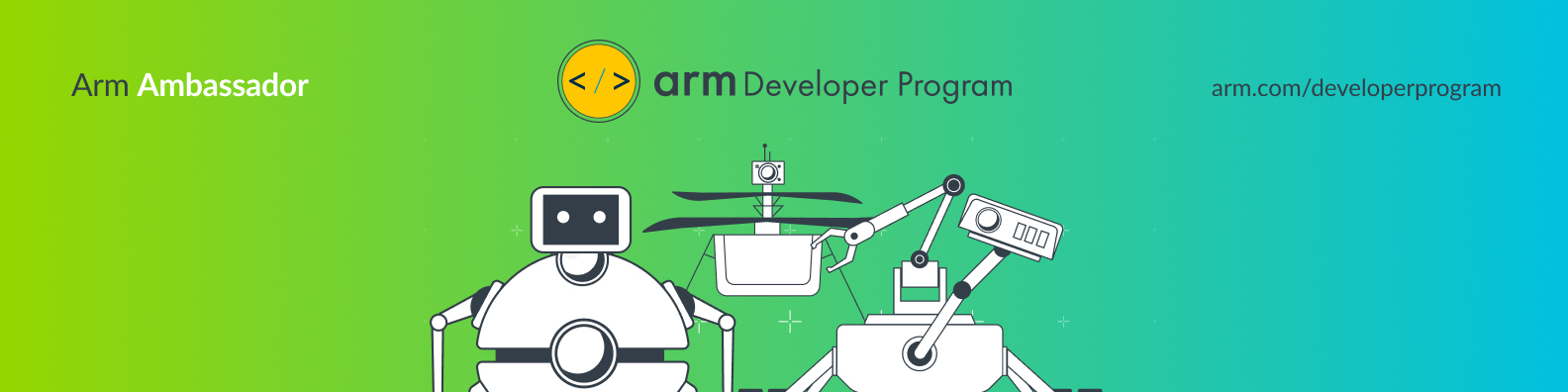
Add an Arm Developer Program banner to your LinkedIn profile following these simple steps:
Step 1: Download the image file ‘Arm_Ambassador_LinkedIn_Banner.jpg’
Step 2: Click onto your LinkedIn profile and click the camera icon at the top right of your banner image.
Step 3: Click ‘Edit profile background’ and upload the image ‘Arm_Ambassador_LinkedIn_Banner.jpg’
Step 4: Click ‘Apply’ and test that it is showing on your profile.
Twitter Profile Banner
Update Your Twitter Profile Banner
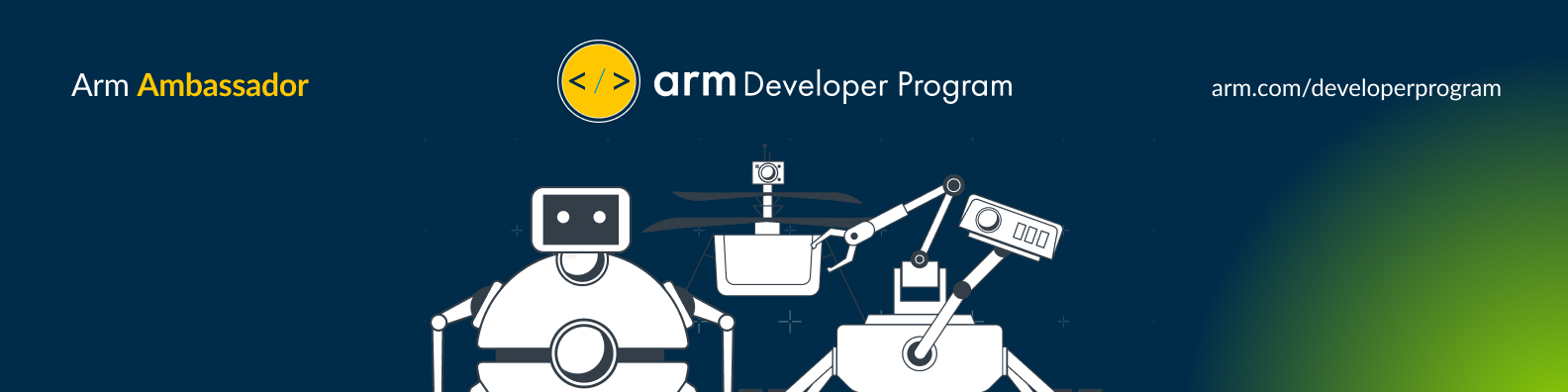
Add an Arm Developer Program to your Twitter profile following these simple steps:
Step 1: Download the image file ‘Arm_Ambassador_Twitter_Banner.jpg’
Step 2: Log in to your Twitter profile and click the gear icon in the main menu. Then, select ‘edit profile’ from the drop-down menu.
Step 3: Click the ‘change header’ button and select ‘upload photo’ to add the image file ‘Arm_Ambassador_Twitter_Banner.jpg’
Step 4: Click ‘save changes’ and test that it is showing on your profile.


Deprecated: Function wp_make_content_images_responsive is deprecated since version 5.5.0! Use wp_filter_content_tags() instead. in /home/shoptalk/armdeveloper.shop-keepr.com/wp-includes/functions.php on line 6031
Deprecated: Function wp_make_content_images_responsive is deprecated since version 5.5.0! Use wp_filter_content_tags() instead. in /home/shoptalk/armdeveloper.shop-keepr.com/wp-includes/functions.php on line 6031
Deprecated: Function wp_make_content_images_responsive is deprecated since version 5.5.0! Use wp_filter_content_tags() instead. in /home/shoptalk/armdeveloper.shop-keepr.com/wp-includes/functions.php on line 6031
Deprecated: Function wp_make_content_images_responsive is deprecated since version 5.5.0! Use wp_filter_content_tags() instead. in /home/shoptalk/armdeveloper.shop-keepr.com/wp-includes/functions.php on line 6031
Deprecated: Function wp_make_content_images_responsive is deprecated since version 5.5.0! Use wp_filter_content_tags() instead. in /home/shoptalk/armdeveloper.shop-keepr.com/wp-includes/functions.php on line 6031
Deprecated: Function wp_make_content_images_responsive is deprecated since version 5.5.0! Use wp_filter_content_tags() instead. in /home/shoptalk/armdeveloper.shop-keepr.com/wp-includes/functions.php on line 6031
Deprecated: Function wp_make_content_images_responsive is deprecated since version 5.5.0! Use wp_filter_content_tags() instead. in /home/shoptalk/armdeveloper.shop-keepr.com/wp-includes/functions.php on line 6031
Deprecated: Function wp_make_content_images_responsive is deprecated since version 5.5.0! Use wp_filter_content_tags() instead. in /home/shoptalk/armdeveloper.shop-keepr.com/wp-includes/functions.php on line 6031
Deprecated: Function wp_make_content_images_responsive is deprecated since version 5.5.0! Use wp_filter_content_tags() instead. in /home/shoptalk/armdeveloper.shop-keepr.com/wp-includes/functions.php on line 6031
Deprecated: Function wp_make_content_images_responsive is deprecated since version 5.5.0! Use wp_filter_content_tags() instead. in /home/shoptalk/armdeveloper.shop-keepr.com/wp-includes/functions.php on line 6031
Deprecated: Function wp_make_content_images_responsive is deprecated since version 5.5.0! Use wp_filter_content_tags() instead. in /home/shoptalk/armdeveloper.shop-keepr.com/wp-includes/functions.php on line 6031
Deprecated: Function wp_make_content_images_responsive is deprecated since version 5.5.0! Use wp_filter_content_tags() instead. in /home/shoptalk/armdeveloper.shop-keepr.com/wp-includes/functions.php on line 6031
Deprecated: Function wp_make_content_images_responsive is deprecated since version 5.5.0! Use wp_filter_content_tags() instead. in /home/shoptalk/armdeveloper.shop-keepr.com/wp-includes/functions.php on line 6031
Deprecated: Function wp_make_content_images_responsive is deprecated since version 5.5.0! Use wp_filter_content_tags() instead. in /home/shoptalk/armdeveloper.shop-keepr.com/wp-includes/functions.php on line 6031
Deprecated: Function wp_make_content_images_responsive is deprecated since version 5.5.0! Use wp_filter_content_tags() instead. in /home/shoptalk/armdeveloper.shop-keepr.com/wp-includes/functions.php on line 6031
Deprecated: Function wp_make_content_images_responsive is deprecated since version 5.5.0! Use wp_filter_content_tags() instead. in /home/shoptalk/armdeveloper.shop-keepr.com/wp-includes/functions.php on line 6031
Deprecated: Function wp_make_content_images_responsive is deprecated since version 5.5.0! Use wp_filter_content_tags() instead. in /home/shoptalk/armdeveloper.shop-keepr.com/wp-includes/functions.php on line 6031
Marketing Toolkit
To help to spread the word and grow our community, this section contains visual assets to share, including an email signature, Arm Ambassador ‘badge’, a PowerPoint slide summarizing your involvement in the program, wallpaper and zoom backgrounds.
Email Signature
We’ve provided an email signature and an Arm ambassador badge that can be added to your existing email signature.
Instructions to update your email signature can be found below.


Outlook
Step 1: Go to File > Options > Mail. Click on ‘Signatures’. Click ‘New’ to add a new signature. Give the new signature a name.
Step 2: Open the email signature banner, copy and paste it into the blank email signature.
Step 3: Select the image, right click and select ‘Link’. Copy and paste the following link into the address field then click ‘OK’.
Step 4: Add your contact information above the hyperlinked image. Assign the signature to the desired email account and hit ‘OK’ to save. Send yourself an email to test the signature.
Gmail
Step 1: Go to Settings under ‘General’, scroll to ‘Signature’ and click ‘Create New.’
Step 2: Click on the ‘insert image’ button and insert the email signature banner.
Step 3: Select the image and click the ‘Link’ button. Copy and paste the following link into the address field.
Step 4: Add your contact information above the hyperlinked image. Select your signature from the drop-down menu in ‘Signature defaults’. Click ‘save changes’ and send yourself and email to test the signature.
Arm Ambassador Badge
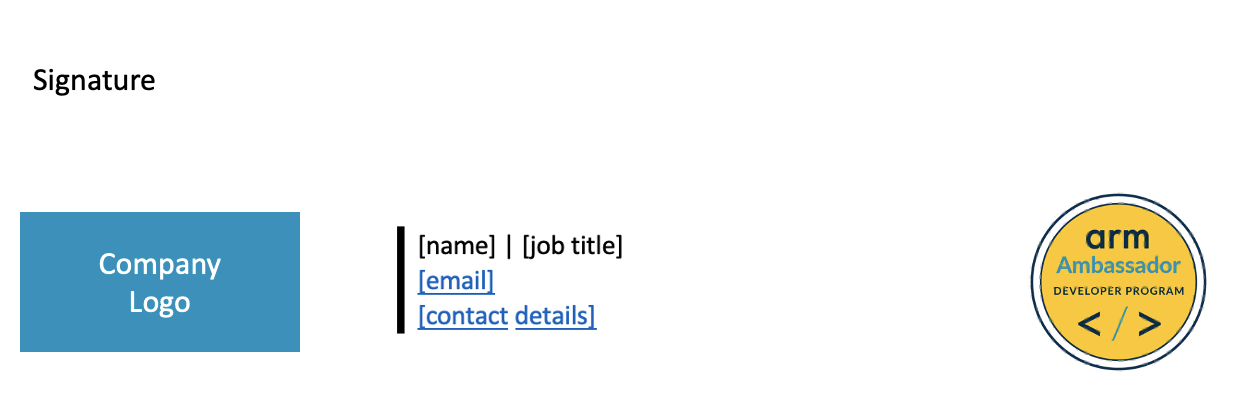
The Arm Ambassador badge can be added to your existing email signature to showcase you as an Arm ambassador. Instructions to add this to your email signature, along with an example signature, can be found below.
Add an Arm Ambassador Badge to Your Email Signature:
Instructions to Add the Badge to Your Email Signature
Outlook
Step 1: Go to File > Options > Mail. Click on ‘Signatures’. Click ‘New’ to add a new signature. Give the new signature a name.
Step 2: Open the email badge image, copy and paste it into the blank email signature.
Step 3: Select the image, right click and select ‘Link’. Copy and paste the following link into the address field then click ‘OK.’
Step 4: Add your contact information above the hyperlinked image. Assign the signature to the desired email account and hit ‘OK’ to save. Send yourself an email to test the signature.
Gmail
Step 1: Go to Settings under ‘General’, scroll to ‘Signature’ and click ‘Create New’.
Step 2: Click on the ‘insert image’ button and insert the email badge image.
Step 3: Select the image and click the ‘Link’ button. Copy and paste the following link into the address field.
Step 4: Add your contact information above the hyperlinked image. Select your signature from the drop-down menu in ‘Signature defaults’. Click ‘save changes’ and send yourself and email to test the signature.
Share That You’re an Arm Ambassador in Meetings and Presentations
PowerPoint
Arm Developer Program 1-Slider & Template
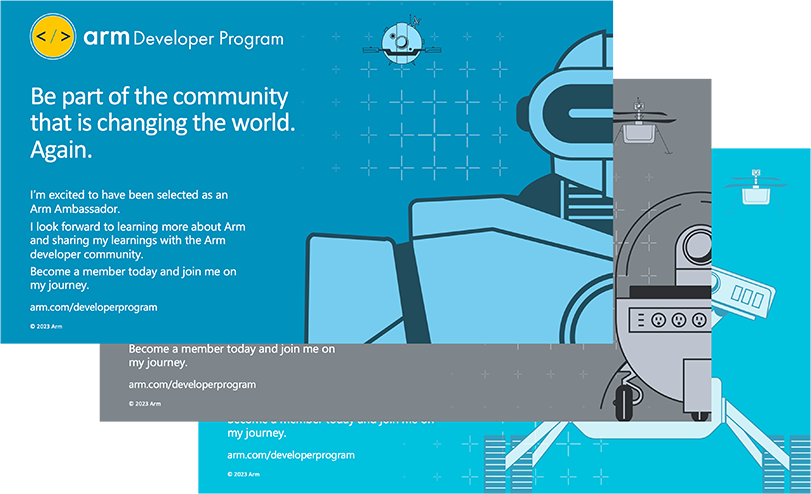
We’ve provided a template PowerPoint slide that you can edit and add into meetings, events, and presentations.
There is also a slide that introduces the Arm Developer Program. Feel free to edit the text to provide more details about being an Arm Ambassador. There is also a template slide that you can use to build out your own Arm Developer Program content, when appropriate.
TBD – Awaiting approval on PowerPoint visuals
Meeting Backgrounds and Desktop Wallpaper
Meeting Backgrounds
Use the background images for virtual meetings to share that you are an Arm Ambassador.
Desktop Wallpaper
Set your desktop wallpaper with Arm Bots for a refreshed look.
Deprecated: Function wp_make_content_images_responsive is deprecated since version 5.5.0! Use wp_filter_content_tags() instead. in /home/shoptalk/armdeveloper.shop-keepr.com/wp-includes/functions.php on line 6031
Access to Arm Trainings
Get free access to Arm Training following the instructions in this PDF to create an Arm Account and get free access to the Arm Ambassador training area.
Deprecated: Function wp_make_content_images_responsive is deprecated since version 5.5.0! Use wp_filter_content_tags() instead. in /home/shoptalk/armdeveloper.shop-keepr.com/wp-includes/functions.php on line 6031
Deprecated: Function wp_make_content_images_responsive is deprecated since version 5.5.0! Use wp_filter_content_tags() instead. in /home/shoptalk/armdeveloper.shop-keepr.com/wp-includes/functions.php on line 6031
Deprecated: Function wp_make_content_images_responsive is deprecated since version 5.5.0! Use wp_filter_content_tags() instead. in /home/shoptalk/armdeveloper.shop-keepr.com/wp-includes/functions.php on line 6031
Stay in Touch
We welcome your feedback and recommendations to make this toolkit as useful as possible. If you have any questions, comments, or ideas, contact Shola Akinrolie at shola.akinrolie@arm.com
Arm Developer Channels